---
updatedAt: 2025-08-27T17:14:15.000Z
agentTools:
projectIndex: https://documentation.bunnyshell.com/llms.txt
---
# DigitalOcean Kubernetes Cluster
## Introduction
Bunnyshell makes it easy to **connect a DigitalOcean Kubernetes** cluster to your Organization, **deploy** your application on it, and **manage** environments.
> 📘
>
> If you don't already have a cluster, go ahead and create a Digital Ocean Kubernetes cluster. You can do this by following the [instructions from the Digital Ocean website](https://docs.digitalocean.com/products/kubernetes/how-to/create-clusters/).
## Connect a DigitalOcean Kubernetes cluster to Bunnyshell
Bunnyshell makes it easy to **connect a DigitalOcean cluster** to your Organization, **deploy** your applications on it, and **manage** environments.
### Prerequisites for connecting the cluster
* You have a Bunnyshell account
* You have [created an Organization](organizations)
* You have a functioning DigitalOcean Kubernetes cluster
### How to connect the cluster
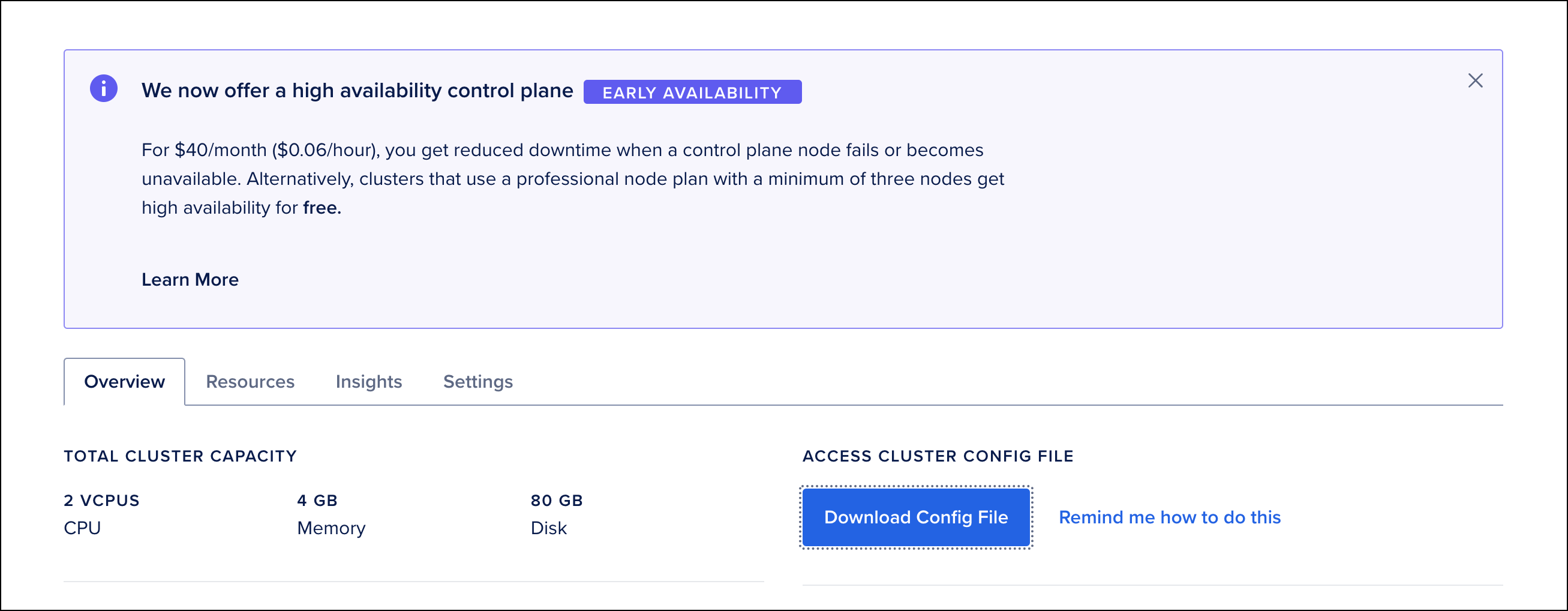
1. Download the Config File from the DigitalOcean UI, from the cluster's page.
2. Go to the [Bunnyshell](https://environments.bunnyshell.com) platform and click **Clusters** on the left-side menu.
3. Click **Connect cluster**.
4. Select **DigitalOcean**.
5. a. A new drawer should pop-up now. It's time to use the info from the kubeconfig file downloaded earlier. You can simply drag and drop the file:
5. b. Or you can fill the individual fields:
* **Name**: Choose what name your cluster will have in Bunnyshell.
* **DigitalOcean cluster name**: You can find it in the `kubeconfig` file, in `clusters[0].name`.
* **Cluster URL**: You can find it in the `kubeconfig` file, in `clusters[0].cluster.server`.
* **Certificate Authority Data**: You can find it in the `kubeconfig` file, in `clusters[0].cluster.certificate-authority-data`.
* **Token**: You can find it in the `kubeconfig` file, in `users[0].user.token`.
Below is an example **kubeconfig** file with the info corresponding to each field indicated.