---
updatedAt: 2025-08-27T20:25:44.000Z
agentTools:
projectIndex: https://documentation.bunnyshell.com/llms.txt
---
# Microsoft Teams
## Introduction
Your Bunnyshell environments will be active most of the time, meaning there is a high chance certain info regarding their activity may go unnoticed unless you pay extra attention.
With the Bunnyshell Microsoft Teams integration you can now connect your Teams channel to our platform to receive all your environment-related notifications inside a channel of choice.
Bunnyshell will provide Microsoft Teams notifications for the following types of events:
* Successful Environment Deployment
* Successful Ephemeral Environment Deployment
* Failed Environment Deployment
* Failed Environment Deletion
* Disconnected Kubernetes Cluster
* Disconnected Registry
## Requirements
Enabling this feature will require the following:
* Installing the **Incoming Webhook** Application in Microsoft Teams
* Adding the Webhook in Bunnyshell
## Installing the Incoming Webhook
1. Go to **Apps** on the left menu bar in Microsoft Teams.
2. Search for "incoming webhook".
3. Click on **Add** in the corresponding application card.
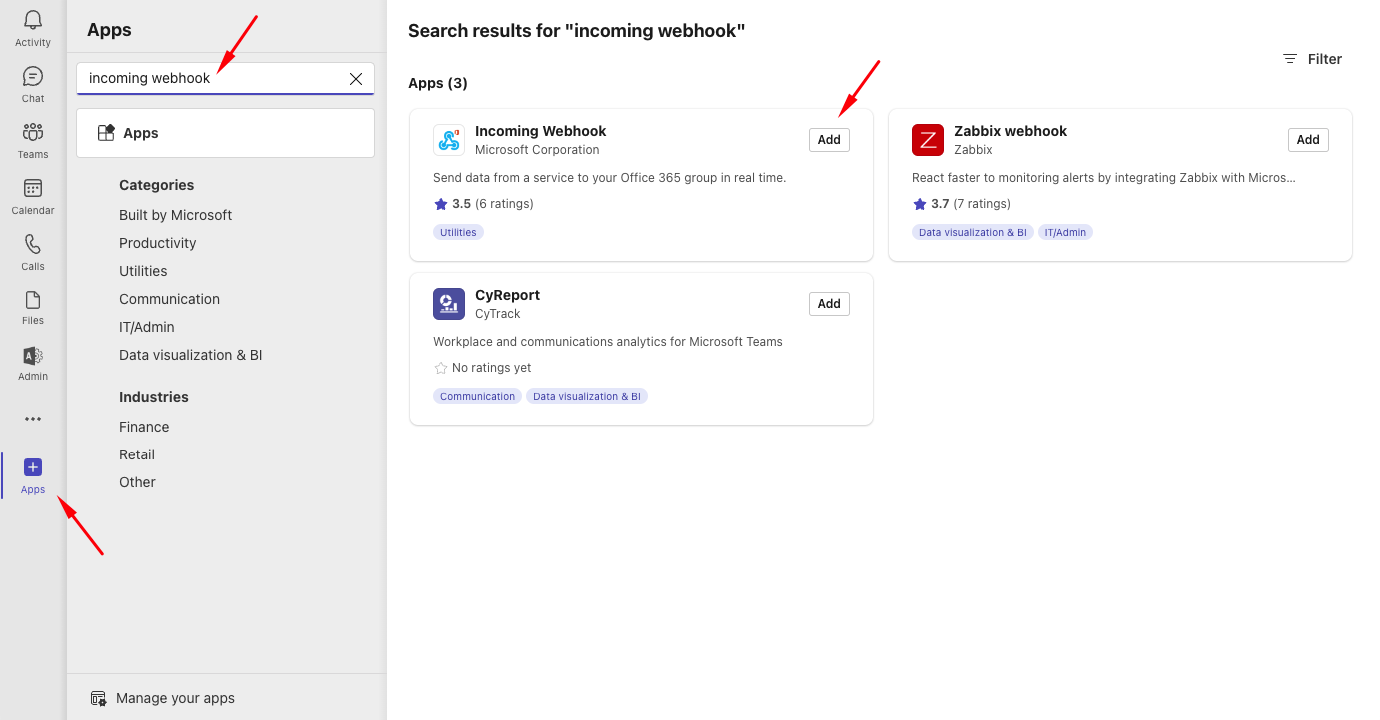
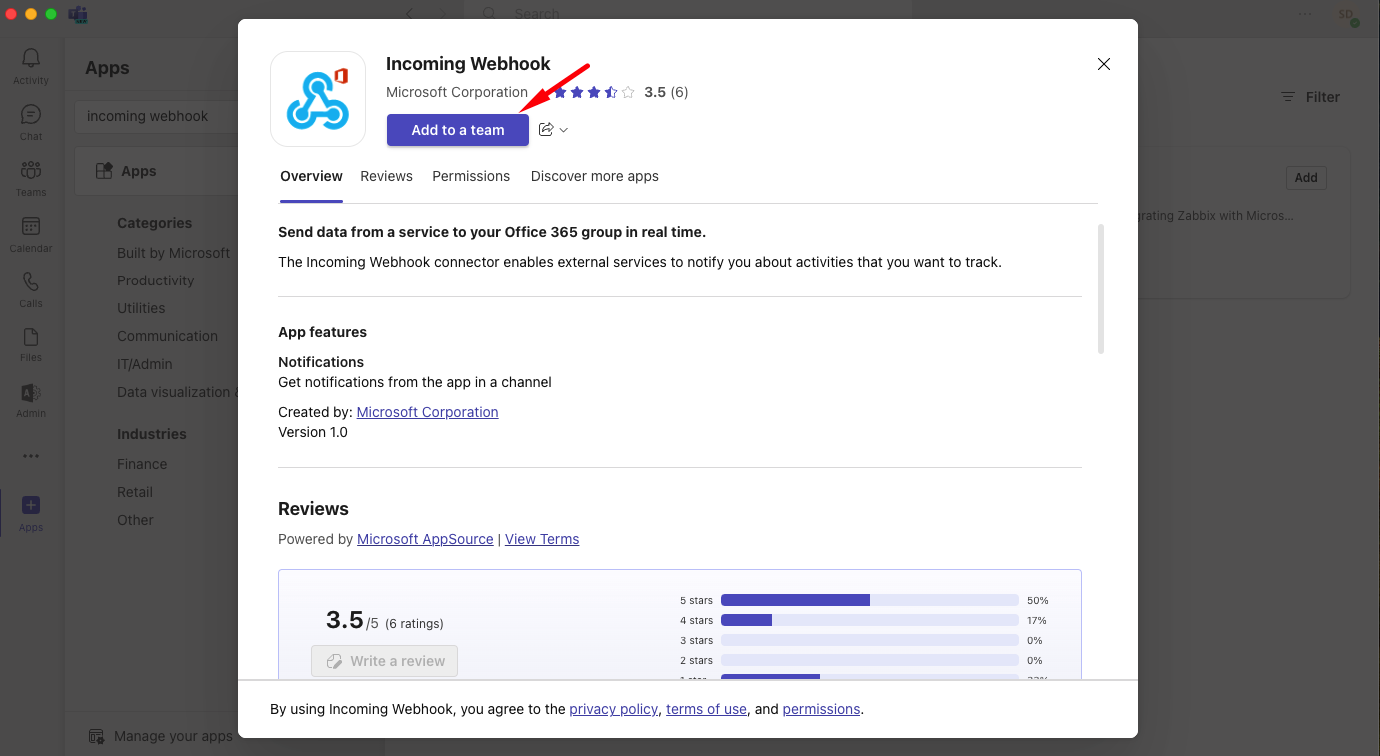
4. Then, click **Add to a team**.
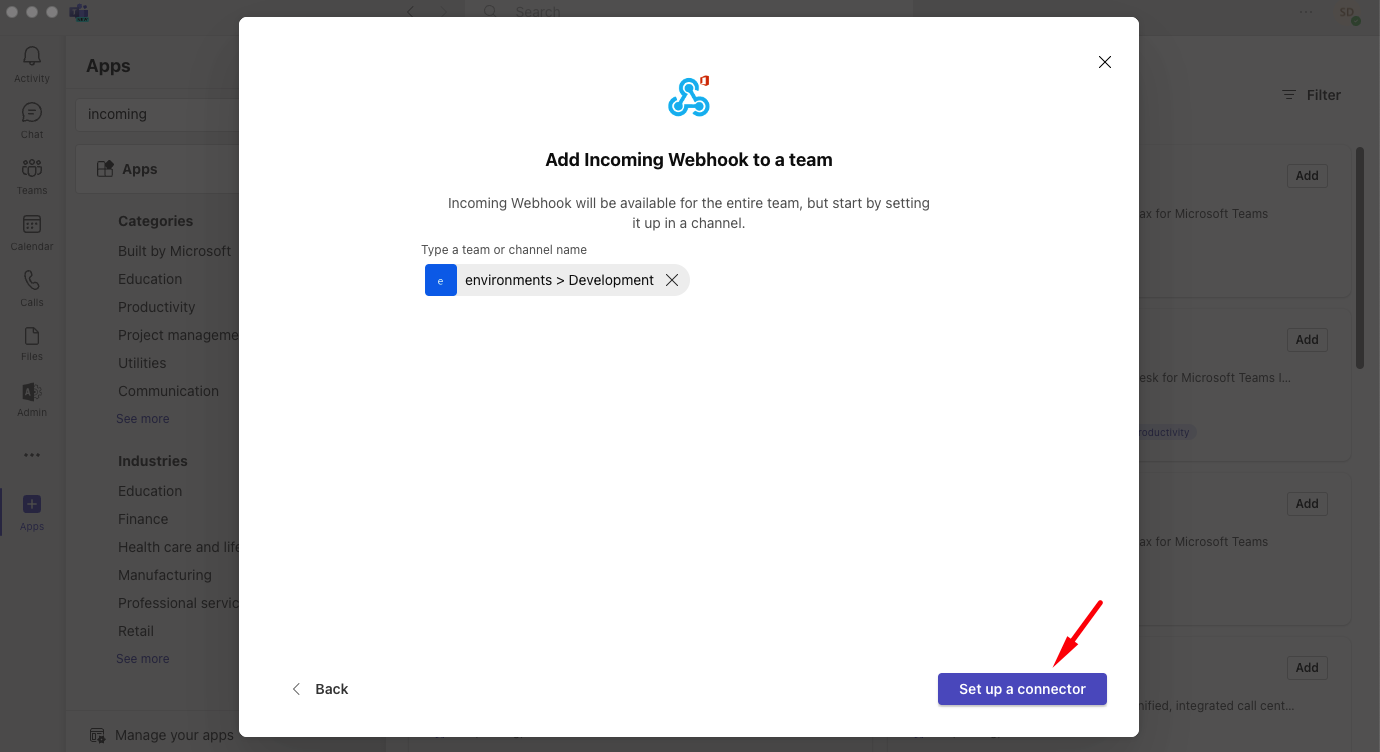
5. Select the channel where you want the notifications to be posted.
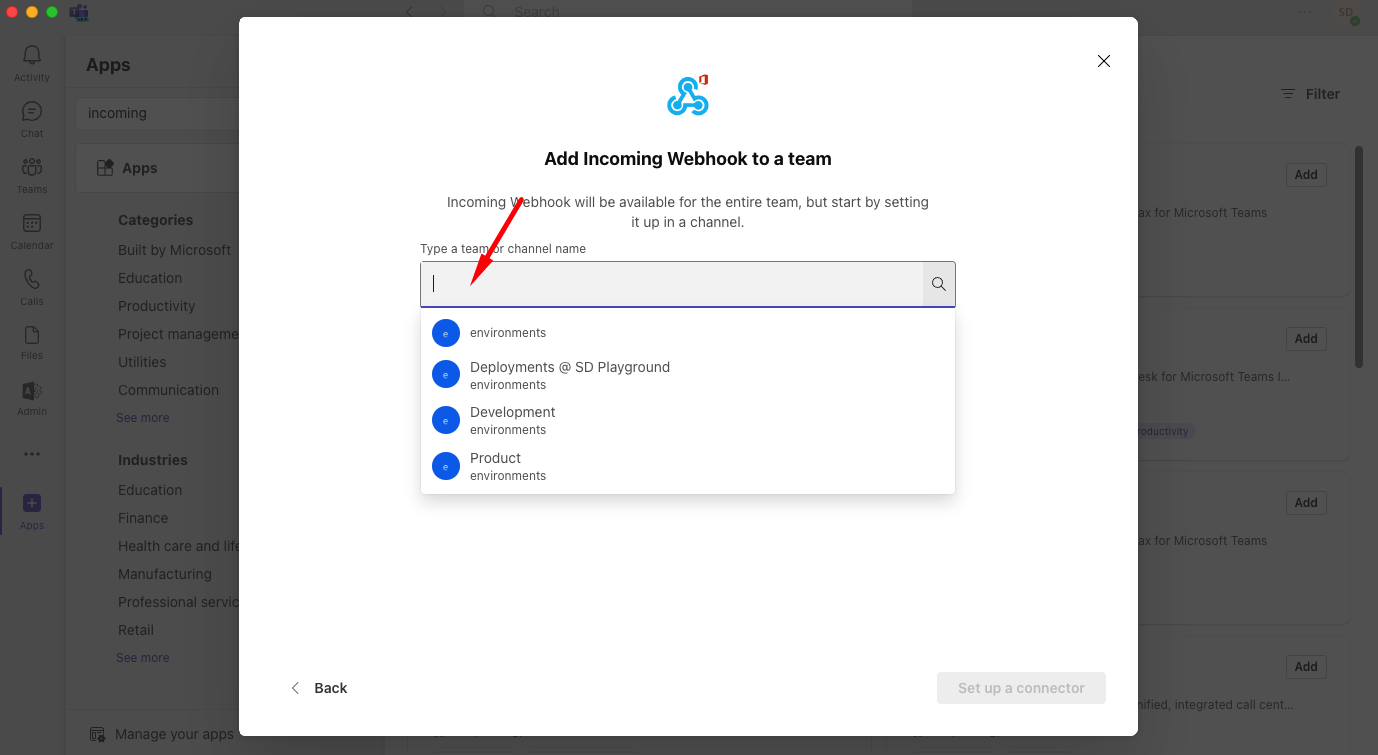
6. Then, click the **Set up a connector** button.
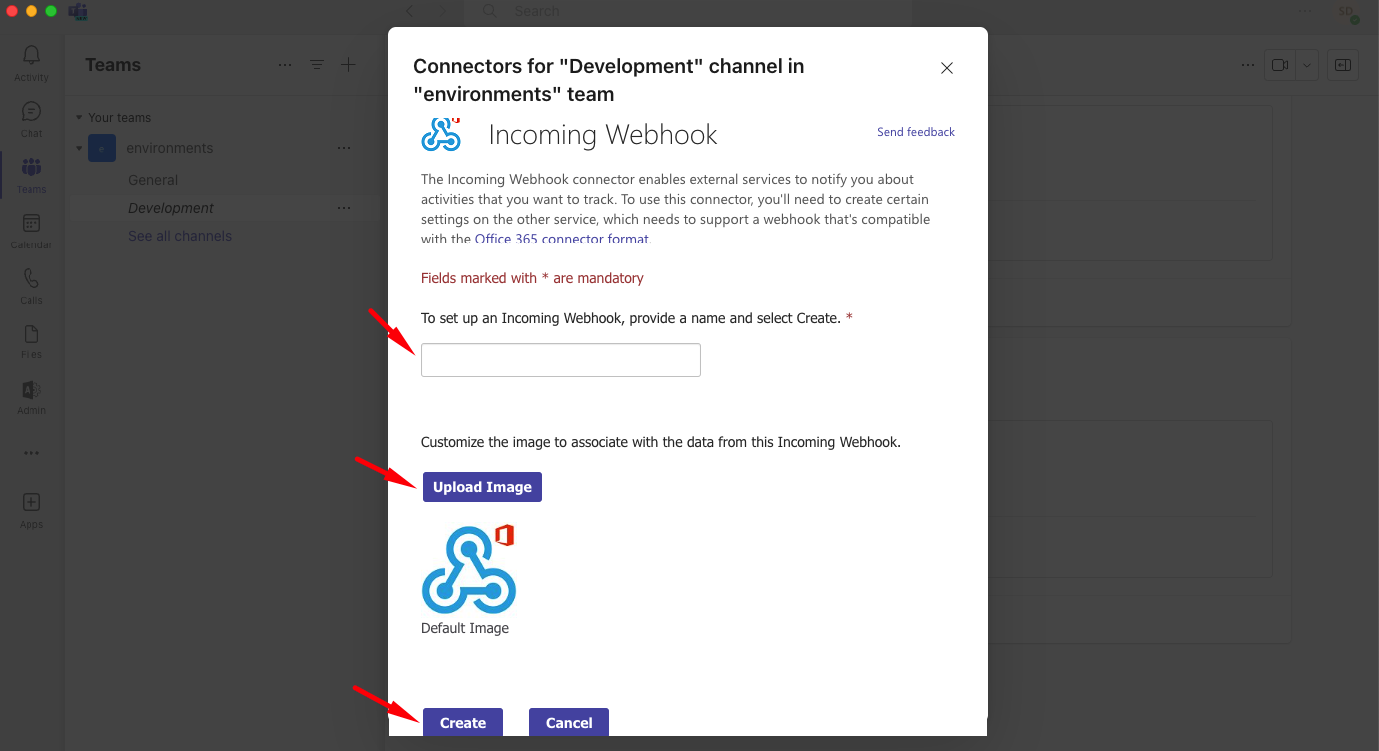
7. Give a suggestive name, such as "Bunnyshell", upload an image, eg [the Bunnyshell logo](https://www.bunnyshell.com/icons/icon-144x144.png), then hit **Create**.
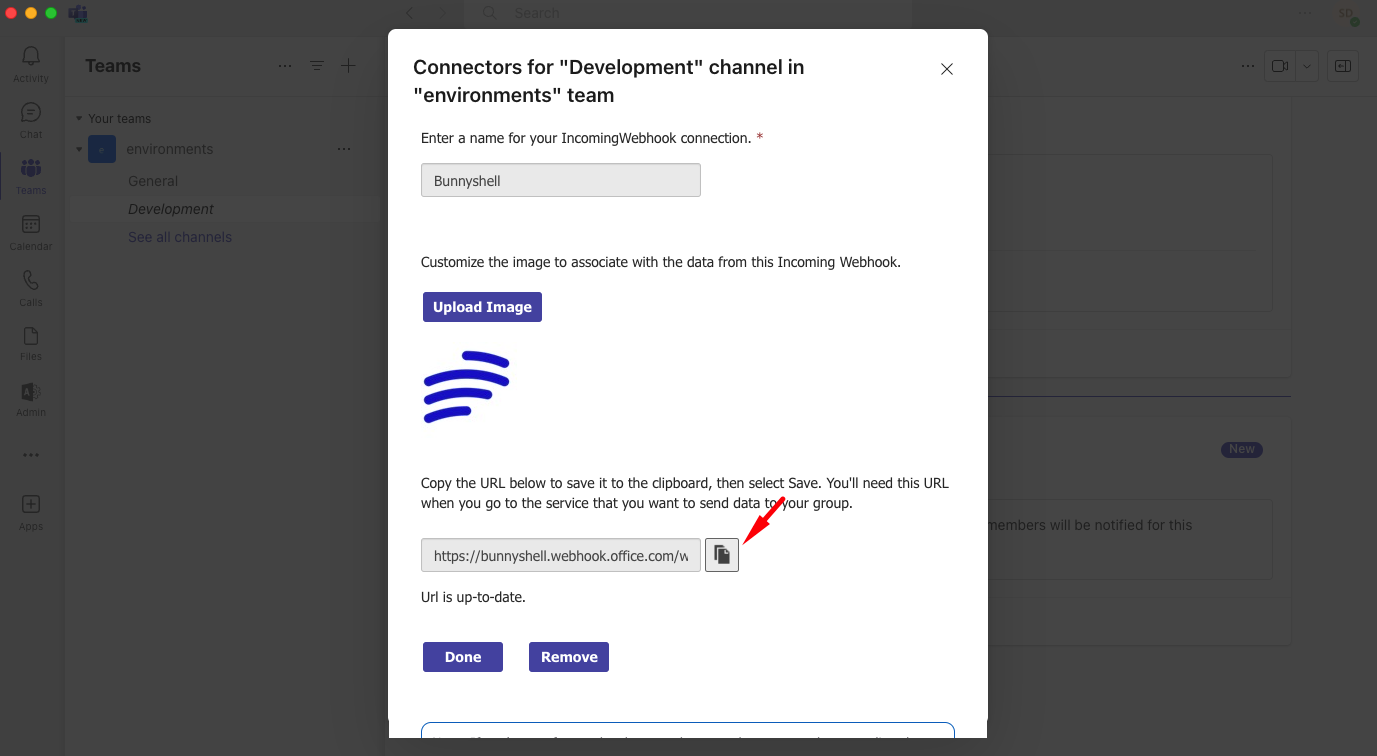
8. *Copy the Webhook URL*, then click **Done**.
## Adding the Webhook in Bunnyshell
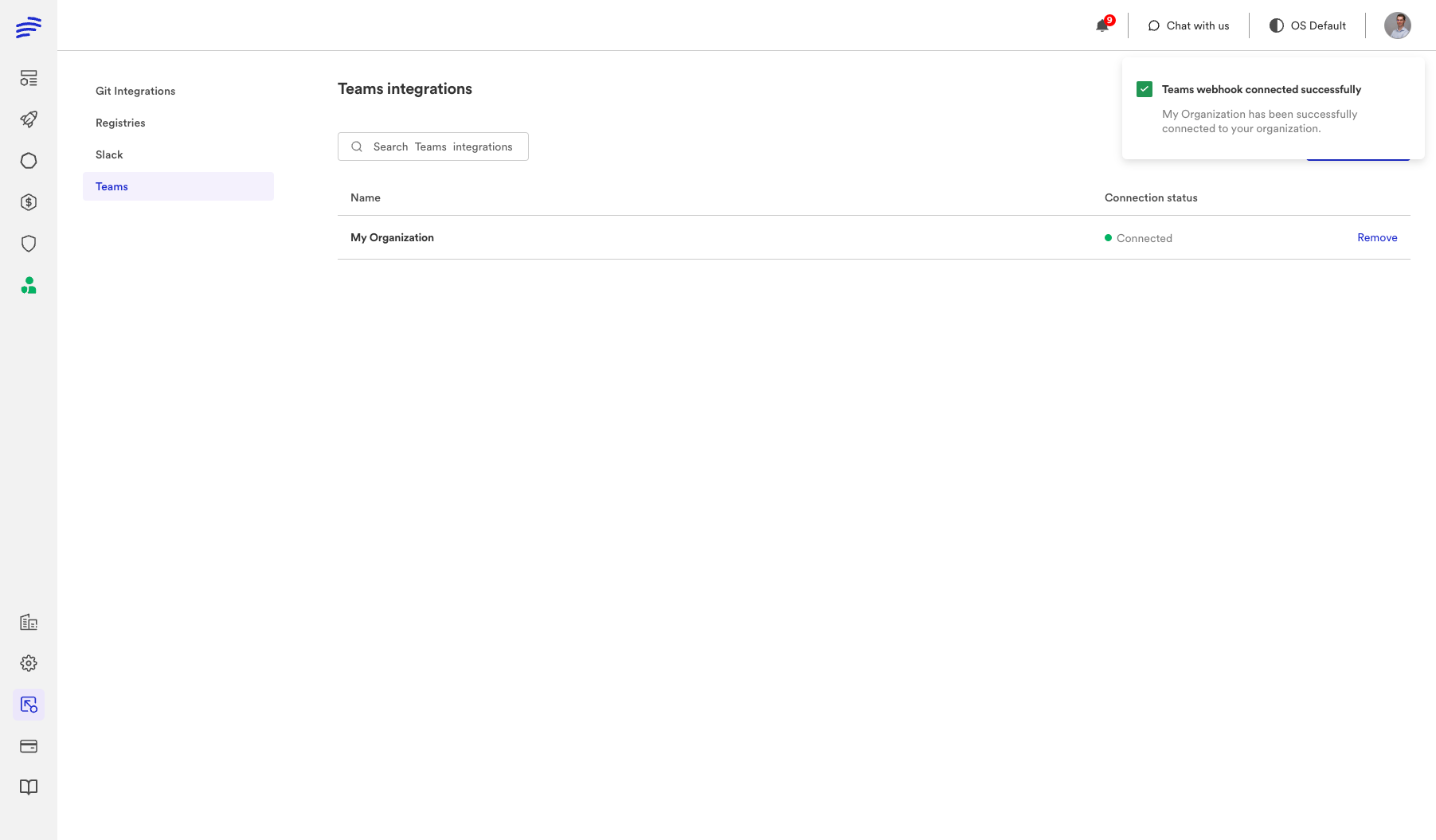
9. Into Bunnyshell, go to **Integrations**, select **Teams**, then click on **Connect Teams**.
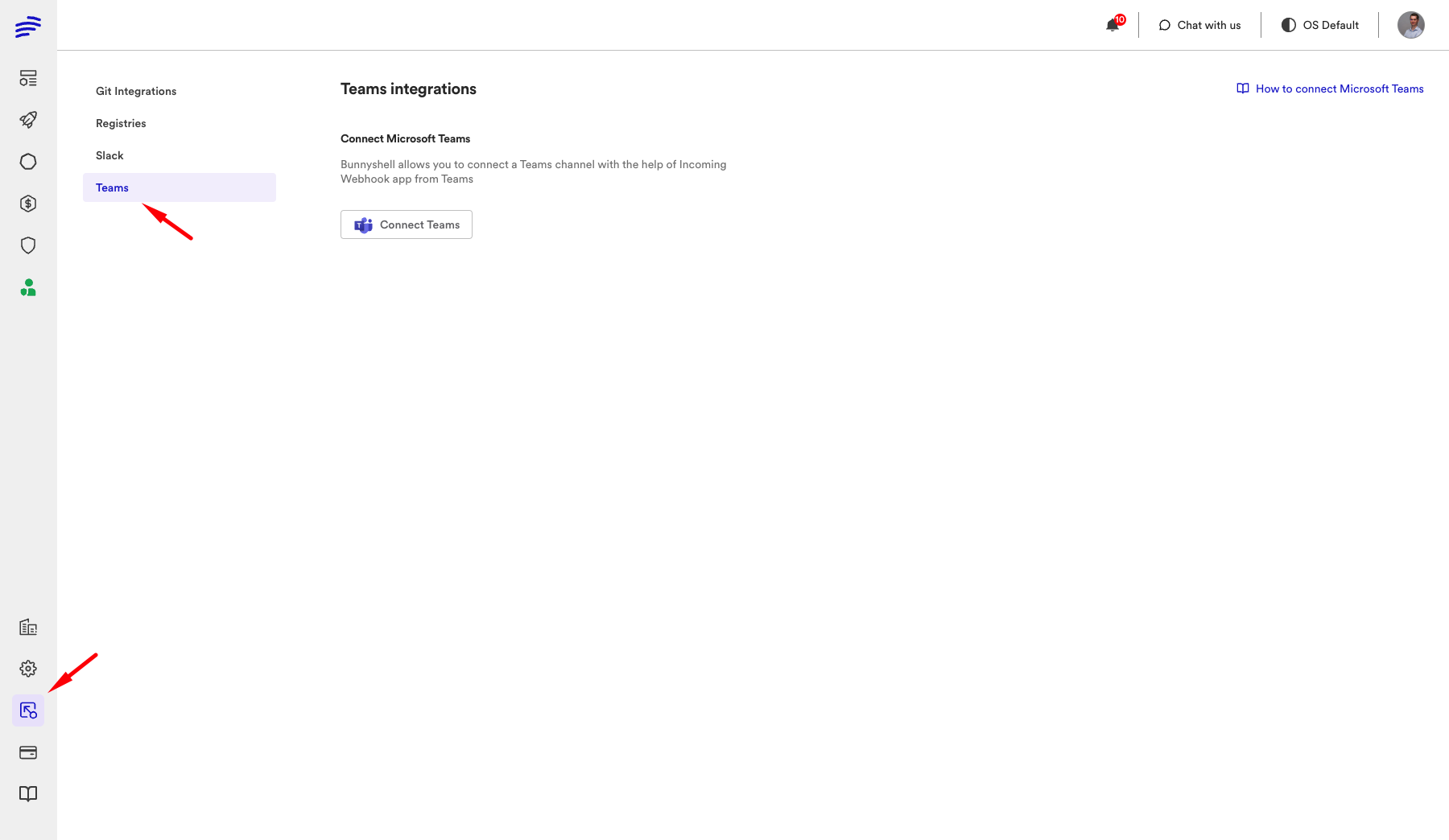
10. Enter a name and the URL you copied from your Teams' webhook, then **Connect**.
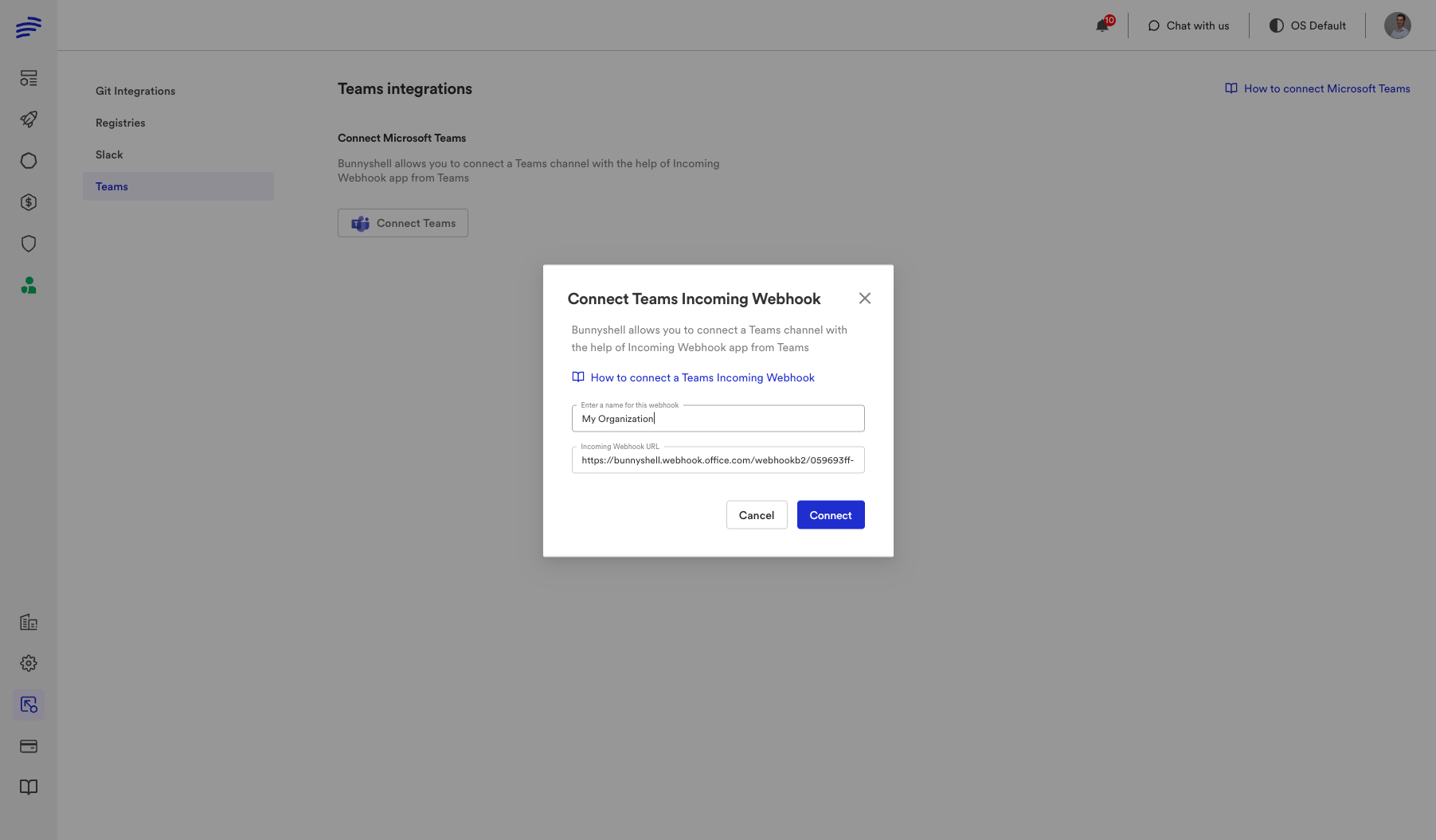
**Congratulations!** You have successfully connected your Microsoft Teams account and will be notified of deployments and integration issues in the channel you selected.